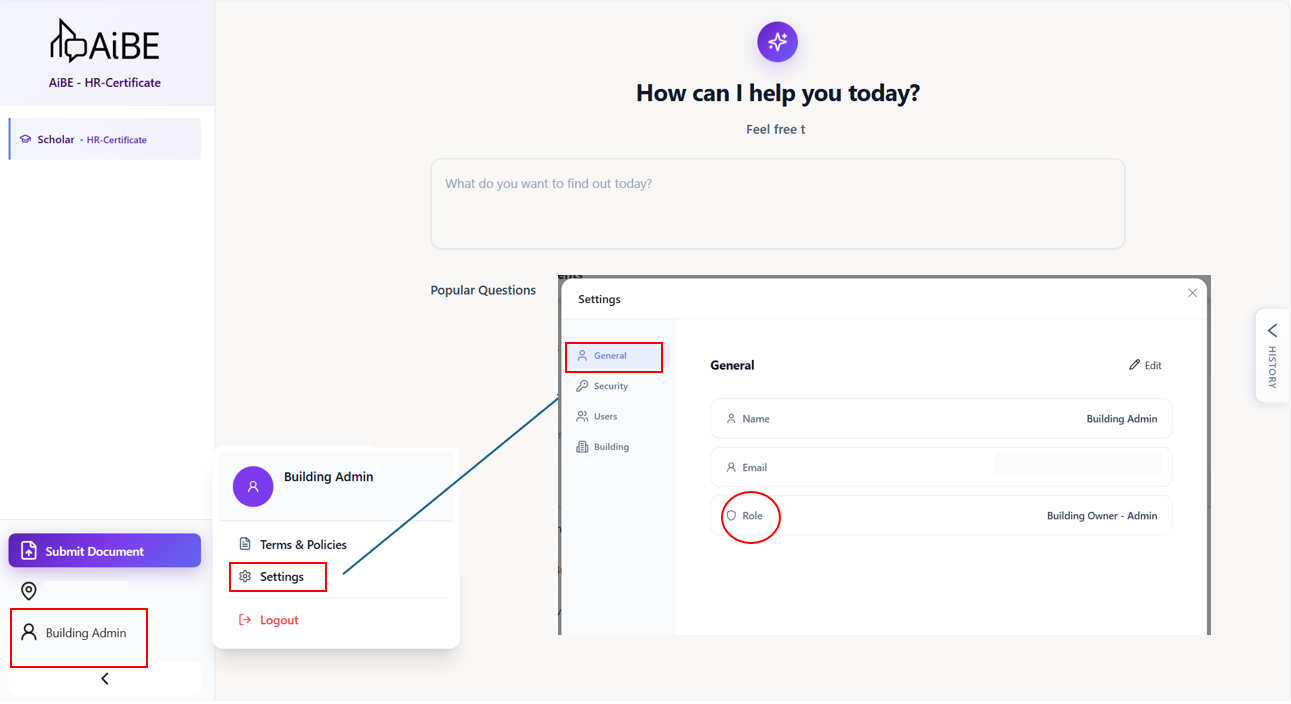
Click the profile icon --> Go to Settings --> General
You will be able to see the assigned role
If you would like to request for a new role, please contact your building admin/department admin for AiBE
For what each role does, please reach out via email or ticket.
Was this article helpful?
That’s Great!
Thank you for your feedback
Sorry! We couldn't be helpful
Thank you for your feedback
Feedback sent
We appreciate your effort and will try to fix the article